Briefings
Free tier preview · 4 min read
Briefings is your inbox of AI analyses. When a Sentinel match arrives, the filing flows through an analysis workflow and the structured result lands here — material events, earnings, insider transactions, ownership changes — each pre-analyzed by an LLM tuned to the filing type. Briefings is the read surface; Sentinels are the trigger.
What it does#
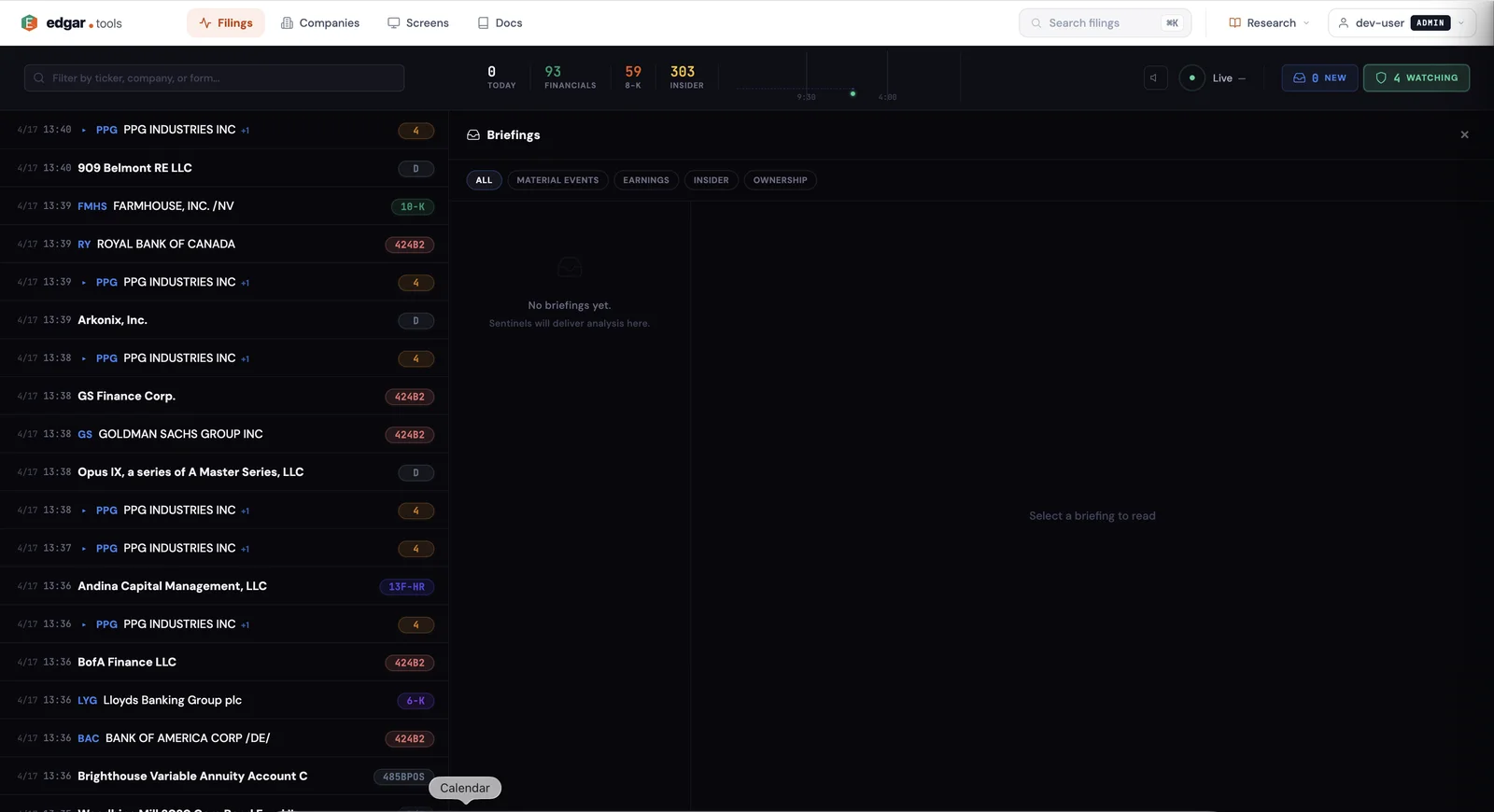
Briefings is a feed of AI-generated summaries paired with the underlying SEC filing data. Each row shows the company, filing type, time, and a one-line headline; opening a row shows the full structured analysis. Filter the feed by category — Material Events, Earnings, Insider, Ownership — to scan one stream at a time, or stay on All to see everything as it arrives.
Real-time updates push into the panel via SSE — new Briefings appear at the top with a subtle slide-in as Sentinels fire, no manual refresh.
How it works#
Open Briefings#
Click the NEW chip in the top-right of /filings to slide in the Briefings panel. The number on the chip reflects unread Briefings — when a Sentinel fires while you're elsewhere on the site, the count ticks up.
Filter the stream#
Five tabs at the top of the panel split Briefings by category:
- All — every Briefing in time order
- Material Events — 8-K and 6-K analyses (item classification, key facts, exhibits)
- Earnings — 10-K and 10-Q analyses (revenue, EPS, guidance, segment-level deltas)
- Insider — Form 3/4/5 analyses (transaction table, sentiment, post-transaction holdings)
- Ownership — SC 13D, SC 13G, 13F-HR analyses (stake change, filer history, accumulation pattern)
Filters are URL state, so you can deep-link directly to one category.
Read a Briefing#
Click any row to open the full analysis on the right. Each Briefing shows:
- Headline — one-line read of the filing's significance
- Structured analysis — form-specific fields (e.g. for an 8-K: item code, materiality classification, key facts; for a Form 4: transaction details, sentiment label)
- Source filing — accession number, filing date, link to the filing documents viewer
- Triggering Sentinel — which of your Sentinels matched, with a link back to the Sentinel configuration
Engagement#
Briefings persist for 30 days then auto-prune. Within that window:
- Reading a Briefing marks it as read; the NEW chip count drops accordingly.
- Archive a Briefing to remove it from the default feed without deleting it (still searchable from the full archive view).
- Click the source-filing link to jump into the inline document viewer or the company profile.
Two delivery modes#
Briefings come in two flavors that share the same UI:
Curated (Free). Even on the Free tier, edgar.tools maintains a small curated stream of high-impact filings — the kind of material events any market participant would want to see. Free-tier users see this curated feed in the Briefings panel without configuring anything. The point is to give Free users a flavor of what AI-analyzed filings look like in flow.
Personal (Professional+). When you configure your own Sentinels, every match they produce arrives as a personal Briefing — only visible to you. Personal Briefings are pre-filtered to what you actually care about; the curated feed becomes a side channel.
Real-time push behavior#
The Briefings panel maintains a persistent Server-Sent Events (SSE) connection to the server. When a Sentinel fires:
- The analysis workflow finishes (typically 5–30 seconds end-to-end).
- The Briefing is written to your inbox in the InboxDO (Cloudflare Durable Object — your inbox is a single-tenant store).
- SSE pushes the new Briefing to any open browser tab. If the panel is open, it slides in at the top. If the panel is closed, the NEW chip count increments.
Closing the browser tab severs the SSE; Briefings continue to accumulate server-side and are visible the next time you open the panel.
Tier gating#
| Tier | Briefings access |
|---|---|
| Free | Curated feed (read-only), no personal Briefings — configure a Sentinel to populate the personal feed |
| Professional ($24.99 / mo) | Curated + personal Briefings from your Sentinels, subject to a fair-use cap on monthly AI analyses |
| Analyst ($79.99 / mo) | Curated + personal Briefings, higher fair-use cap, plus webhook delivery of every match to your endpoint |
| Enterprise | Custom retention, custom delivery channels — contact sales |
See Compare Plans for full tier details.
Related#
- Sentinels — the saved queries that produce Briefings
- Webhooks — push the same Briefing payload to your own endpoint (Analyst tier)
- Live Filing Stream — the underlying real-time feed Sentinels watch
- Filing Documents — the inline viewer Briefings link back to for source-of-truth reading